Wednesday, May 4, 2011


You can store contacts up to 25,000 in gmail

Original post by  from gmail blog,


Gmail used to have a limit of 10,000 contacts. For most of us, this was way more than enough, but we heard from some of you who use Gmail to communicate with more than 10,000 people. We want you to be able to store all of your contacts in a single place, so starting today, we've increased the limit for all Gmail users, including all those of you who use Google Apps, to 25,000 contacts.


Also, previously an individual contact could be no larger than 32KB — big enough for most people, but not always sufficient for those who like to keep a lot of notes on individual contacts. Now, each contact may be up to 128KB in size, allowing you to store more information in the notes field.


One Million Percent Increase In Searches For 'Bin Laden' On May 1


We heard yesterday that Sunday night's announcement of Osama Bin Laden's death drew the highest sustained rate of tweets ever according to Twitter and Google has revealed an impressive stat showing the impact of the event on Google search.

Google says that between 7:30 and 8:30 pm PST (which was right around the time the news broke over Twitter), Google saw an one million percent increase in searches for the term 'bin laden.'

For basis of comparison, you can see a chart below comparing searches for the Royal Wedding on Google Trends. The Royal Wedding of Prince William and Kate Middleton also drew massive amounts of web traffic from around the world, but clearly the search volume for news and information around Bin Laden's death came in at a much higher scale.

see also: http://gmailblog.blogspot.com/2011/05/how-to-set-up-gmail-to-power-through.html

Saturday, April 30, 2011


Start video chat on your android mobile

Original Post by Colin Gibbs, Product Manager and Wei Huang, Tech Lead

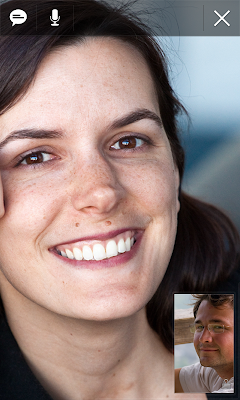
Sometimes, the expressions on a person's face can mean much more than what they say. To help you stay in touch with your friends and family, we're launching Google Talk with video and voice chat for Android phones.

You can now video or voice chat with your friends, family and colleagues right from your Android phone, whether they're on their compatible Android tablet or phone, or using Gmail with Google Talk on their computer. You can make calls over a 3G or 4G data network (if your carrier supports it) or over Wi-Fi.


In your Google Talk friends list, a video or voice chat button will appear next to your contacts and you can simply touch the button to connect with them. Any text chats from the person you're talking with will be overlaid on your phone's screen so you can read them without having to leave the video. And, if you need to check something else, the video pauses automatically so you can go back to your phone's home screen or another app. The audio will keep going even though the video has paused.

Google Talk with video and voice chat will gradually roll out to Nexus S devices in the next few weeks as part of the Android 2.3.4 over-the-air update and will launch on other Android 2.3+ devices in the future. To learn more about using video and voice chat, check out our Help Center.

see also: 

Tuesday, April 26, 2011


Gmail Labs: "Background Send" - No need to wait!


We're always looking for ways to make Gmail faster. One of the most common delays happens after you hit that "Send" button, when you're waiting patiently for a couple seconds for Gmail to send your message. If you send a lot of email, that can add up to a lot of lost time. 

To help give you that time back, there's a new feature in Gmail Labs called Background Send. Once you turn it on from the Labs tab in Settings, you can get on with what you're doing while Gmail quietly sends off your mail in the background. You can keep reading your inbox, compose new messages, chat with people — all the things you'd usually do. You can even send more than one message in the background at the same time.


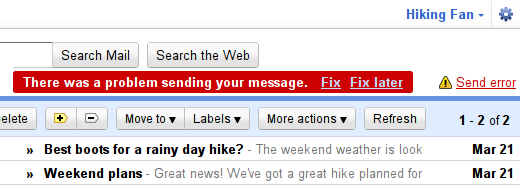
If anything goes wrong (maybe you got that email address wrong, or maybe your connection had a hiccup), you'll see a warning message that prompts you to go back and fix the issue or try again later. 


The "Send errror" message will stay around until you decide to fix things, so you don't have to stop whatever you're doing right away. The only catch is that you should wait for your mail to finish sending before you close Gmail or shut down your computer. If messages are still being sent in the background when you shut down, your messages are probably going to be lost. You'll know you're good to go when you see a message like this:


We've been trying out Background Send for a while here at Google, and we like it a lot. We hope you like it too, and we hope it gives you back a little bit of your day!