Wednesday, November 25, 2009


New Search Ad formates on Google

At Google, we're committed to giving you the information you want — regardless of the form in which it might appear.

Text is often useful, but sometimes videos and pictures are a more effective way to receive information. For example, if you want to learn a magic trick, a video showing you how to perform the trick is likely the best result. So over the past few years, we've blended videos, images, maps and more into the search results on Google.com.

It also makes sense to provide you with richer types of information in the ads. If you're looking to buy your mom a new handbag for the holidays, for instance, you might want to see pictures, prices, the addresses of boutiques in your area and a map of how to get there — all within the ad.

To provide a better search ads experience, we've been developing and testing a variety of new ad formats. These formats are focused on giving you the information you need, while retaining what you love about Google advertising: that the ads are relevant and useful.

If you're in the U.S. you may have already seen a number of these ad formats when searching on Google.

Some of them include visual elements. For example, if you're curious about the movies that are playing this holiday season, you might see an ad with a video that lets you watch a trailer.


You might also see an ad with more links so you can quickly find a specific page in an advertiser's website. If you're researching airfare to visit your relatives for the holidays, it saves time to go directly to Priceline's page about booking flights, rather than the general homepage or rental car page.


Or, if you're trying to find a holiday bouquet to bring to your dinner party hostess, you might see an ad that shows your local florist's location on a map and provides driving directions.


Other new ad formats might help you find all the addresses and locations of a chain store in your area. So if you're vacationing abroad this season and have a craving for something familiar, the ad might show you all the nearby Pizza Huts that can deliver to your hotel.


And starting today, you might spot ads that include images and prices for specific products. When shopping for the ski outfit your nephew has been hinting about all year, you might see pictures from the retailer's inventory to help you quickly determine if they have the color and style you had in mind.


Still other ad formats may introduce new ways of presenting information, such as Comparison Ads, which allow you to specify exactly what you're looking for and to compare rates and prices in a single location. With the approaching new year comes resolutions to get things in order, so you might want an ad that lets you see side-by-side refinancing offers.


While we experiment with new formats, we'll remain loyal to our core principle: that getting the right ad to the right person at the right time matters. As we continue to think up innovative ways to give you the information you want, you're likely to see even more ad formats until we pinpoint the most useful, relevant and engaging ones. We'll keep trying new things until we discover the "perfect" ads that improve your overall search experience.

Source :
http://googleblog.blogspot.com/2009/11/new-search-ad-formats.html

Recent Posts from Google :
http://googleblog.blogspot.com/2009/11/easy-holiday-shopping-with-google.html
http://googleblog.blogspot.com/2009/11/iraqi-government-on-youtube.html
http://gmailblog.blogspot.com/2009/11/send-attachments-while-offline.html


So now Send attachments while offline

One of the most requested features for Offline Gmail has been the ability to include attachments in messages composed while offline. Starting today, attachments work just the way you would expect them to whether you are online or offline (with the exception that when you're offline you won't be able to include inline images). Just add the attachment and send your message.

If you have Offline Gmail enabled, you'll notice that all your mail now goes through the outbox, regardless of whether you're online or offline. This allows Gmail to capture all attachments, even if you suddenly get disconnected from network. If you're online, your mail will quickly be sent along to its destination.

If you haven't tried offline access yet, visit the Labs tab and follow these instructions to get started:
  1. Select Enable next to Offline Gmail.
  2. Click Save Changes.
  3. After your browser reloads, you'll see a new "Offline" link in the upper righthand corner of the Gmail page, next to your username. Click this link to start the offline set up process and download Gears if you don't already have it.
Now that you can send attachments while offline, we'd love to see pictures of you using Gmail in unusual places while you're disconnected from the web. Pictures of you using Gmail in an airplane, igloo, or submarine are all welcome. Email your photo to hikingfan@gmail.com and we'll post the most interesting ones here.

Original Source : http://gmailblog.blogspot.com/2009/11/send-attachments-while-offline.html

Saturday, November 21, 2009


Learn More About the new Orkut

Given the large number of orkut users, we've decided to gradually roll out the new orkut through an invitation-only system for the next few months. Here's how to get an invitation, and what to expect when you do...


Get an invite

Get an invite, get started!

Want to see the new orkut now? Find a friend who has an invitation and ask him! Those who are using the new orkut will sometimes receive invitations to share with their friends, so they can share the orkut love.

Another way to get an invite is to join Poppy and Shashi on the official community for cool insights into the new orkut and to participate in one of the many activities that will be taking place there. Be sure to check back often as the owners will be regularly announcing new ways to get an invite.

Users must have an invitation before they can access the new version of orkut. If they have invitations to share, they can send them to their friends on orkut; when those friends receive the invitations, they'll see a special icon at the top of their homepage.

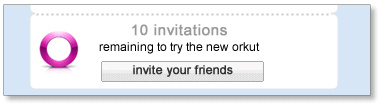
New orkut icon To accept the invitation, they just click the icon and they'll then see the new version of orkut. Once they've accepted the invitation, they'll be eligible to receive invitations that they can share with their friends on orkut... and that's how more and more people will be able to get on board the new version. To see how many invitations you have to share with friends, simply look below the friends box on your homepage.
Invite your friends

Invite your friends

Are you already on the new orkut, and want your friends to join you? Well, orkut eventually will give you some invitations and you will have the power to invite your favorite friends. When that happens, look below the friends box for the counter that shows how many invitations you can share. Click "invite your friends" to see a list of your friends who aren't using the new orkut yet - then pick the friends you want to invite and click "send". If you don't see a specific friend in this list then your friend was already invited by someone else.

Invites counter

Get more invites

Get more invites

We'll periodically give you more invitations to share with friends. No need to ask - we'll keep an eye on the number of invitations you've sent, and give you a few more when you seem to need them.

The same orkut

Is this the same orkut my friends are still using?

Yes (sort of). You can still interact with all your friends who are using the old orkut, but you'll be seeing orkut in a whole new light. Both versions share the same information, so anything you do on one version of orkut will be visible to your friends on the other. You can even click at the top of the page to go back and forth between the two versions of orkut to be sure nothing got lost in translation. Or you can just trust us :)

Find an invitation

Can't find an invitation, what do I do?

Hmmm, so you really want to see the new orkut? Well, the best way to get an invitation is to visit your friends profile pages. If you see this icon Invitations icon on their profile next to their name, they probably have an invitation they can share with others - so be bold, and ask them for one!

Inviting other contacts

Want to invite someone who's not on orkut yet?

First, your friend needs to sign up for orkut. Simply use the friend finder "invite" feature and send a note inviting your friend to create an orkut account. Once your request is accepted, you'll see your pal on your friends list. Then, just send your new friend an invitation to try the new orkut.


Related Link : http://en.blog.orkut.com/2009/11/more-about-new-orkut.html | http://en.blog.orkut.com/2009/10/introducing-new-version-of-orkut-fun.html

Friday, November 20, 2009


SPDY Protocol | From dev.chromium.org

Overview

One of the bottlenecks of current HTTP is that it relies solely on multiple connections for concurrency. This causes several problems, including additional round trips for connection setup, slow-start delays, and a constant rationing by the client where it tries to avoid opening too many connections to a single server. HTTP "pipelining" doesn't help, as each connection may be blocked on the request at the head of the line; in addition, many proxies apparently have poor support for pipelining. Applications, in their desire to create many connections, create many sub-domains to work around browser per-domain connection throttling.


SPDY aims to address this and other application-layer problems associated with modern web applications, while requiring little or no change from the perspective of web application writers.


In a nutshell, SPDY adds a framing layer for multiplexing multiple, concurrent streams across a single TCP connection.  The framing layer is optimized for HTTP-like request-response streams.


The SPDY session offers three basic improvements over HTTP:

  • Multiplexed requests. There is no limit to the number of requests that can be issued concurrently over a single SPDY connection.  Because requests are interleaved on a single channel, the efficiency of TCP is much higher.
  • Prioritized requests. Clients can request certain resources to be delivered first.  This avoids the problem of congesting the network channel with non-critical resources when a high-priority request is pending.
  • Compressed headers.  Clients today send a significant amount of redundant data in the form of HTTP headers.  Because a single web page may require 50 or 100 subrequests, this data is significant. Compressing the headers saves a significant amount of latency and bandwidth compared to HTTP.
Note that for the most part, SPDY attempts to preserve the existing semantics of HTTP features.  All features such as cookies, etags, vary headers, content-encoding negotiations, etc work exactly as they do with HTTP; SPDY only replaces the way the data is written to the network.

Definitions

  • connection: A TCP-level connection between two endpoints.
  • endpoint: Either the client or server of a connection.
  • session: A framed sequence of data chunks. Frames are defined as SPDY frames; see Framing below.
  • stream: A bi-directional flow of bytes across a virtual channel within a SPDY session.

Main differences from HTTP

SPDY is intended to be as compatible as possible with current web-based applications. This means that, from the perspective of the server business logic or application API, nothing has changed. To achieve this, all of the application request and response header semantics are preserved.  SPDY introduces a "session" which resides between the HTTP application layer and the TCP transport to regulate the flow of data. This "session" is akin to an HTTP request-response pair. The following changes represent the differences between SPDY and HTTP:

The request

To initiate a new request, clients first create a new SPDY session.  Once the session is created, the client can create a new SPDY stream to carry the request.  Part of creating the stream is sending the HTTP header block.  The HTTP header block in SPDY is almost unchanged from today's HTTP header block, with the following differences:

  • The first line of the request is unfolded into name/value pairs like other HTTP headers.  The names of the first line fields are method, url, and version.  These keys are required to be present.  The 'url' is the fully-qualified URL, containing protocol, host, port, and path.
  • Duplicate header names are not allowed.
  • Header names are all lowercase.
  • The Connection and Keep-Alive headers are no longer valid and are ignored if present.
  • Clients are assumed to support Accept-Encoding: gzip.  Clients that do not specify any body encodings receive gzip-encoded data from the server.
  • HTTP request headers are compressed.  This is accomplished by compressing all data sent by the client with gzip encoding.
  • The "host" header is ignored.  The host:port portion of the HTTP URL is the definitive host.
  • POST-specific changes:
    • POST requests are expected to contain a data stream as part of the post; see Data flow below.
    • Content-length is only advisory for length (so that progress meters can work).
    • Chunked encoding is no longer valid.
    • The POST data stream is terminated by a zero-length data frame.

The response

When responding to a HTTP request, servers will send data frames using the SPDY stream created by the client.  The response is similar to HTTP/1.1 in that it consists of a header block followed by a body. However, there are a few notable changes:

  • The response status line is unfolded into name/value pairs like other HTTP headers.  The names of the status line are status and version.  These keys are required to be present
  • If the SPDY reply happens before a SYN_STREAM, then it includes parameters that inform the client regarding the request that would have been made to receive this response, by including url and method keys. 
  • All header names must be lowercase.
  • The Connection and Keep-alive response headers are no longer valid.
  • Content-length is only advisory for length.
  • Chunked encoding is no longer valid.
  • Duplicate header names are not allowed.

Connections

The first implementation of the SPDY session runs atop TCP, similarly to how HTTP works today. The client is expected to be the TCP connection initiator. Because it runs on TCP, we have a reliable transport. Unlike HTTP, all connections with SPDY are persistent connections. The HTTP connection header does not apply.

For best performance, it is expected that clients will not close open connections until the user navigates away from all web pages referencing a connection, or until the server closes the connection. Servers are encouraged to leave connections open for as long as possible, but can terminate idle connections after some amount of inactivity if necessary.

Framing

Once the TCP connection is established, clients and servers exchange framed messages. There are two types of frames: control frames and data frames.  Frames always have a common header which is 8 bytes.

The first bit is a control bit indicating whether a frame is a control frame or data frame. Control frames carry a version number, a frame type, flags, and a length. Data frames contain the stream ID, flags, and the length for the payload carried after the common header. The simple header is designed to make reading and writing of frames easy.

All integer values, included length, version, and type, are in network byte order.  SPDY does not enforce alignment of types in dynamically sized frames.

And More about SPDY : http://dev.chromium.org/spdy/spdy-protocol