Thursday, September 30, 2010


Show your total pageviews in blogger (gadget) from analytics

Brett Wiltshire (Blogger team) say's

Last month we released two new stats gadgets to the Blogger in Draft testing ground; after hearing your feedback and making a few tweaks, we're happy to announce that they are both now ready for the main stage. The new-and-improved Popular Posts and Blog's Stats gadgets can be added to your blog right now from the Gadget Directory by clicking Add a gadget from the Design | Page Elements tab.


Both of these gadgets take advantage of the traffic data that is being collected by Blogger Stats and provide an easy way for you to pass that info on to the readers of your blog.

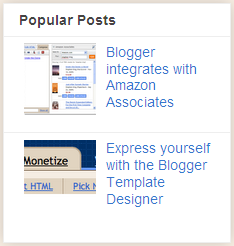
The Popular Posts gadget will automatically find and display your blog's posts that have the most pageviews. You can choose whether to display image thumbnails or post snippets in addition to the post title. You can also choose the time window to be used for calculating pageviews and the number of posts you'd like to display.

The Blog's Stats gadget lets you show off pageview data for your blog, with a handful of configuration options that are easily controlled. You can choose from a variety of styles and display options to suit your blog. We also provide an option to let you select the time window to be used for calculating pageviews.


We hope you enjoy these new gadgets and want to thank you again for your feedback as we fine-tuned them to their current state.

Source: http://buzz.blogger.com/2010/09/stats-gadgets-graduate-from-draft.html
recent gmail blog update: http://gmailblog.blogspot.com/2010/09/turn-off-gmails-conversation-view.html

Wednesday, September 29, 2010


Its New! Turn off conversation view in gmail

The way Gmail organizes mail into conversations is like cilantro. You either love it -- and, like me, enjoy the nice citrusy, herbal finish it gives to everything from salsa to curry -- or you hate it. And those of you who hate it hate it enough to launch sites like nocilantro.com and ihatecilantro.com ("an anti cilantro community"), where you can hate it together.

But my fondness for cilantro pales in comparison to my love for Gmail's conversation view, or message threading. I haven't had to wade through multiple messages to follow a conversation in years. A centithread hasn't filled up the entire first page of my inbox in almost as long as I can remember. Having all the replies to an email (and replies to those replies) grouped with the original message simply makes communicating so much easier.

It turns out not everyone feels the same way. And just as an outspoken minority has banded together in unison to declare their distaste of one of nature's most delicious herbs, some of you have been very vocal about your dislike of conversation threading. So just like you can order your baja fish tacos without cilantro, you can now get Gmail served up sans conversation view. Go to the main Settings page, look for the "Conversation View" section, select the option to turn it off, and save changes. If you change your mind, you can always go back.


This feature will be rolling out over the next few days so if you don't see it immediately, check back in a bit. And once you try it out, let us know what you think.

original post: http://gmailblog.blogspot.com/2010/09/turn-off-gmails-conversation-view.html


New! Status Dashboard in Google Analytics

Google Analytics processes huge volumes of data for websites around the world everyday, thanks to Google's globally renowned infrastructure. While we never stop focusing on system reliability and scalability (here's an example), we also want to make sure our users have an easy way to get the latest updates from us should there be a problem.

Today, we're pleased to announce that we have launched the Google Analytics Status Dashboard. Now anyone can visit this Status Dashboard to check on the current status of components of the Google Analytics system.

The dashboard reports on the three main components of Google Analytics:
  • Data Collection (whether data from websites are being collected by the Google Analytics servers correctly)
  • Web Report (whether users can view the reports correctly when they sign in to their Google Analytics accounts)
  • GData API (whether the Google Analytics APIs are working properly)
The Google Analytics Status Dashboard represents an additional layer of transparency that we believe will benefit all Google Analytics users, from Fortune 500 companies to personal websites. The Status Dashboard is the best place to check for service availability of Google Analytics anywhere in the world. You can also get the updates pushed to you by subscribing to the RSS Feed. And of course, you can always get updates from us here at this blog or by following us on Twitter (@googleanalytics) and get help from the Google Analytics Help Center or the User to User Forum.

Monday, September 27, 2010


Happy Birthday Google!

Original post by Stan Schroeder

It's Google's 12th birthday today, and Google's regular logo has been replaced by an image of a cake, created by the American painter Wayne Thiebaud.

Thiebaud is famous for his paintings of cakes and other everyday objects, and has been associated with the Pop art movement.

http://www.google.com/logos/2010/googbday10-hp.jpg

As far as Google's birthday is concerned, today's logo change solidifies the notion that Google's birthday is, indeed, September 27. Google had previously been unclear about the exact date, sometimes celebrating on September 7, although the Google.com domain was registered on September 15, 1997.

Although 12 years is a lot in the world of IT technology, the fact that a company has grown so huge in this time frame never fails to astound us. Happy birthday, Google!

Recent update from gmail blog: Updated Gmail app in Android Market